
PowerExcel is a simple, powerful way for Excel users to connect to a highly efficient, collaborative business-modeling platform hosted in the cloud. That platform is available from PARIS Technologies, Inc., the developer of PowerExcel.
With PowerExcel, users access data from a business model for all manner of reporting, analytics, and planning: for example, financial reports, departmental budgets, sales forecasts. Users can also model new analytics and plan versions, creating limitless data views from a single spreadsheet.
All this can be done via the standard Microsoft Excel install that exists on virtually every business user’s computer—so, as a user, you can experience PowerExcel simply by opening the tool you work with every day.
The only requirement is a PowerExcel Add-In to reach Cloud-based models. [Note that the following image shows a single user connecting to a PowerExcel Cloud Server through use of the PowerExcel Add-in; the PowerExcel Cloud Server is a multi-server configuration, as shown next page, at right, the After image.]
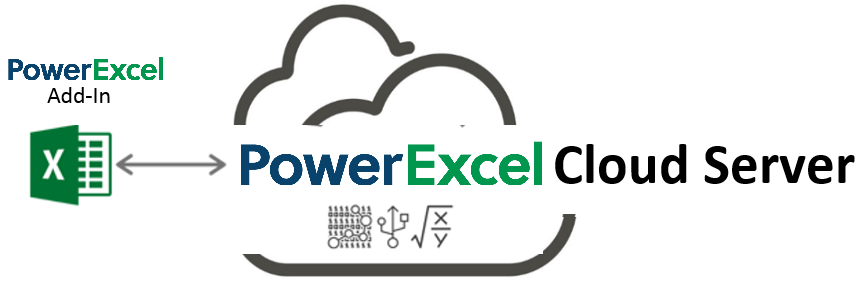
The business data resides on a PowerExcel Cloud Server—PARIS Technologies makes this Cloud Server available for teams to work far more efficiently than can be done with existing, overwhelmingly complex spreadsheet-only systems. Remote users from different locations, whether around the world or simply using individual machines, will have the capability to work on separate Excel workbooks that are all connected to a shared model on the cloud server. With the PARIS PowerExcel Cloud Server, Excel is transformed into a dynamic access point for critical business decision-making.
If you have installed the PowerExcel Add-In or have an interest in doing so, contact PARIS Technologies to get underway with your own PowerExcel Starter Team.
In the image below, the Before picture on the left shows a typical scenario with proliferating spreadsheets. This represents the work done presently by firms large and small in spreadsheet-only models. Without PowerExcel, individual workbooks contain the entire business model(s)—a huge problem, because Excel becomes an unwieldy database itself, freighted with innumerable links, formulas, macros, and the like. Spreadsheet models of this sort become literally too big to handle, much less keep free of frightening, potentially catastrophic errors.
As for sharing these spreadsheet-only models: often they make the rounds via email—leading to multiple differing versions of the truth (a scary concept in itself). Or they are posted on a shared director or /site, which hardly solves the “overly burdened, frightening” spreadsheet issue.
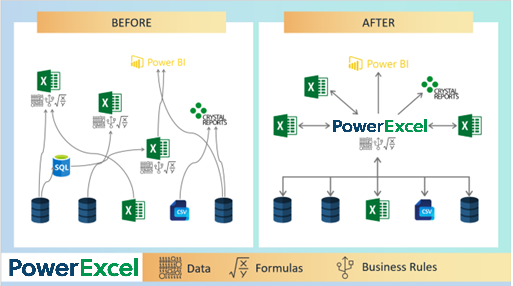
The After picture on the right shows the PowerExcel Cloud Server in the middle. Business models are accessible from the everyday spreadsheet and, yes, Power BI (and any other BI application) can be set up as another way to reach business data in real time.
For leadership, PowerExcel provides the means to communicate a vision for the business and for the staff to collaborate and act on that vision. In brief: leadership can see results dynamically, and—with responsive planning models in place—can control against objectives, in order to change business strategies as quickly as possible.
PowerExcel solves these issues, and confers upon users and firms other benefits, so that you can:
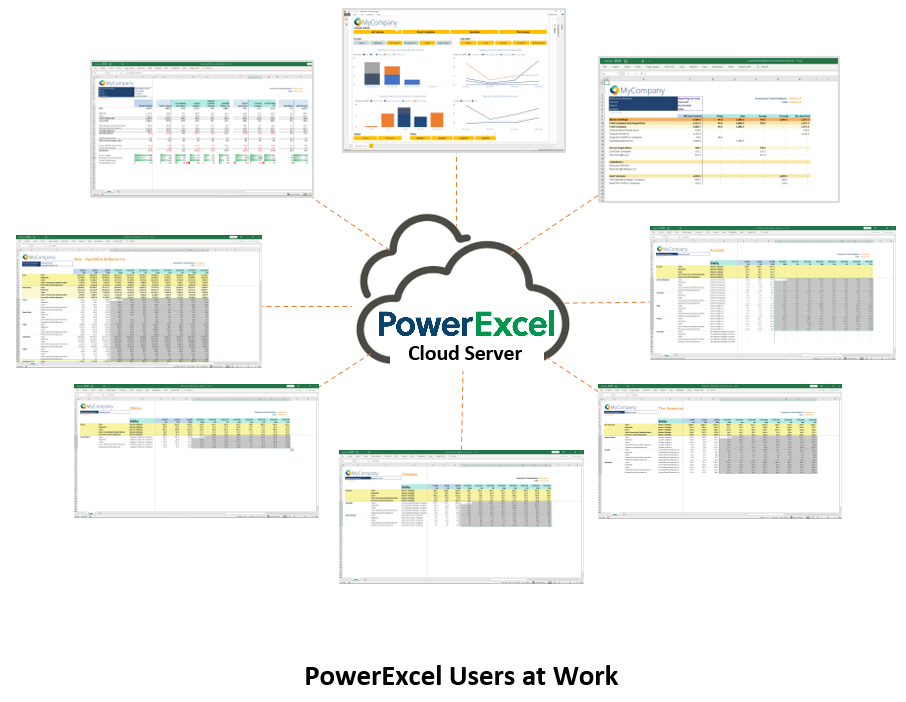
The following illustration shows an example of users, collaborating on a shared model, whether via report views, planning (e.g., budget/forecast) templates or even charts and graphs—all via a “disburdened” everyday instance of Excel.
About This Manual
This manual is intended to give you a view into the main capabilities that users can perform while using PowerExcel—creating Slices, entering data in shared models, using the Dimension Editor (to create new components of the model), and building more complex reports.
An important note: The data shown here is from a representative financial model. While the exercises proceed in a logical chronological fashion, some of the data may not be the same from exercise to exercise. That said, with basic understanding of Excel and an inquisitiveness about how PowerExcel can be useful to you, we hope that you are inspired to investigate further for a potential PowerExcel solution at your own firm!
 Important
To learn more about the advanced capabilities and add-on licensed features
of PowerExcel, please refer to the Supplemental
PowerExcel User Manual Advanced and Licensed Features documentation.
PLEASE NOTE ALSO before proceeding
If you see the "@" Symbol in the Microsoft
Excel Formula Bar
Important
Microsoft recently changed the syntax for some formulas in Excel, adding
an “implicit intersection operator” or “@” symbol. This new syntax is
added automatically by Excel to some formulas. Microsoft has made these
changes in the core of Excel and you may or may not be aware that this
has happened. PARIS Technologies, developer of PowerExcel and other advanced
planning/ analytics/reporting products that feature dynamic spreadsheet
connectivity—has responded to these recent changes in Microsoft Excel
and has developed enhancements, allowing PARIS
products to work with the new Microsoft’s changes to Excel. Indeed,
many of the functions that you see in use within this PowerExcel manual
will now contain the “@” symbol. Although the screen grabs and the text
describing these functions may not presently show the “@” symbol, they
will work as described.