The Query
 Window is where the SQL query
is written to retrieve specific data from the relational source. It also
displays the data retrieved through the executed SQL query. This window
allows for defining two types of queries:
Window is where the SQL query
is written to retrieve specific data from the relational source. It also
displays the data retrieved through the executed SQL query. This window
allows for defining two types of queries:
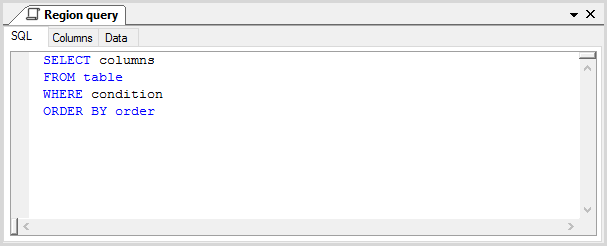
The Query window consists of three tabs: SQL Tab, Columns Tab, and Data Tab.
Query Window Command Icons
The View Tab for Queries, which only becomes available on the OLATION ribbon when accessing the Query Window, includes the following commands:
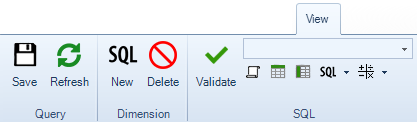
Icon Name |
Icon |
Function |
|
Stores a newly created or updated query along with its defined attributes. |
|
Refresh Query |
|
Updates a query. |
New Dimension |
|
Creates a new Dimension out of the currently opened or active relational component, such as tables, views and query. |
Delete Dimension |
|
Deletes the currently opened Dimension. |
Validate SQL |
|
Checks whether the SQL statement syntax for the query is correct and error-free. |
Query |
|
Inserts a select statement from the source table of the selected Dimension. |
Insert Table/View |
|
Adds the selected Table or View Name into the SQL statement at the cursor's current position. |
Insert Column |
|
Adds the selected Column Name into the SQL statement at the cursor's current position. The dropdown displays column names from the selected table or view. |
Insert SQL |
|
Adds the selected SQL into the SQL statement at the cursor's current position. |
Insert Operator |
|
Adds the selected operator into the SQL statement at the cursor's current position. |
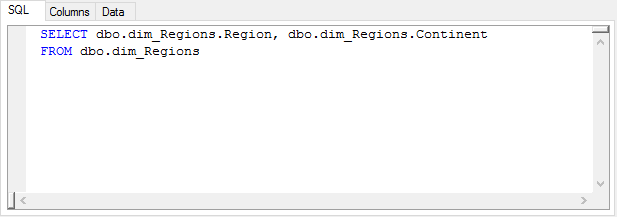
The SQL Tab displays the SQL Query or the SQL statement written for the saved query.
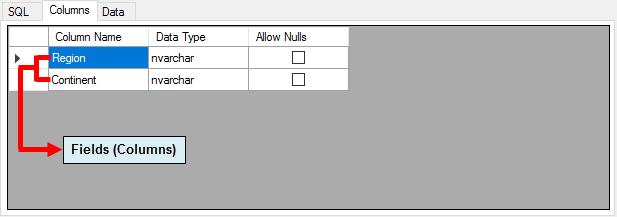
The Columns Tab displays the various columns/fields accessed by the saved query, along with their respective Data Types and whether the Allow Nulls option is enabled for each column.
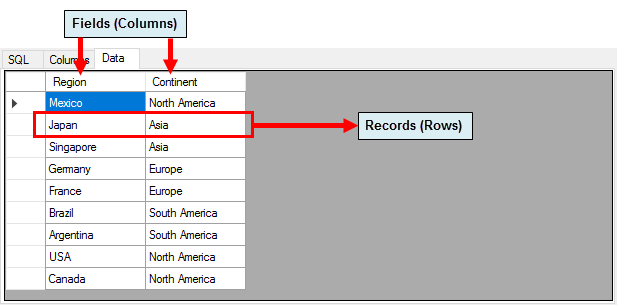
This tab displays the data accessed by the saved query. It does not allow adding or modifying records. The tab can be refreshed to reflect the most recent updates from the source relational table.